
The 21 Best SEO Software For Small Business Tools (2023)
Small businesses have unique needs when it comes to SEO software. They need tools that are affordable, easy to use and provide the best possible results. In this post, we will discuss 21 of the best SEO software tools for small business owners. These tools offer a wide range of features and can help you improve your website’s search engine ranking. We will also answer some common questions about SEO software so that you can make an informed decision about which tools are best for your small business!
What is an SEO Software For Small Business Tool?
An SEO software tool is a program that helps you optimize your website for better search engine ranking. There are many different factors that go into ranking, and an SEO software tool can help you track all of them. This includes things like keyword research, link building, and on-page optimization. If you want to rank on the first page of Google and monetize your blog posts, you need to be using at least a few different SEO tools.
There are a lot of different SEO software tools available, and it can be overwhelming to try and choose the best one for your needs. We’ve included a mix of paid and free options, so you can find the perfect tool for your budget. We’ve also included a brief description of each tool so that you can see what they offer and how they can benefit your website.
What Are The 21 Best SEO Software For Small Business Tools?
Based on extensive testing and reviews, here are the 21 best SEO software applications for small businesses.
- Ahrefs.
- SurferSEO.
- SEMRush.
- RankMath.
- SE Ranking.
- Yoast.
- Google Business Profile.
- Google Trends.
- Google PageSpeed Insights.
- TitleTag.
- AnswerThePublic.
- Google Data Studio
- Moz.
- Whitespark.
- Google Keyword Planner.
- Keyword Tool.
- Screaming Frog.
- AccuRanker.
- SiteBulb.
- Nightwatch.
- SEOquake.
1. Ahrefs.
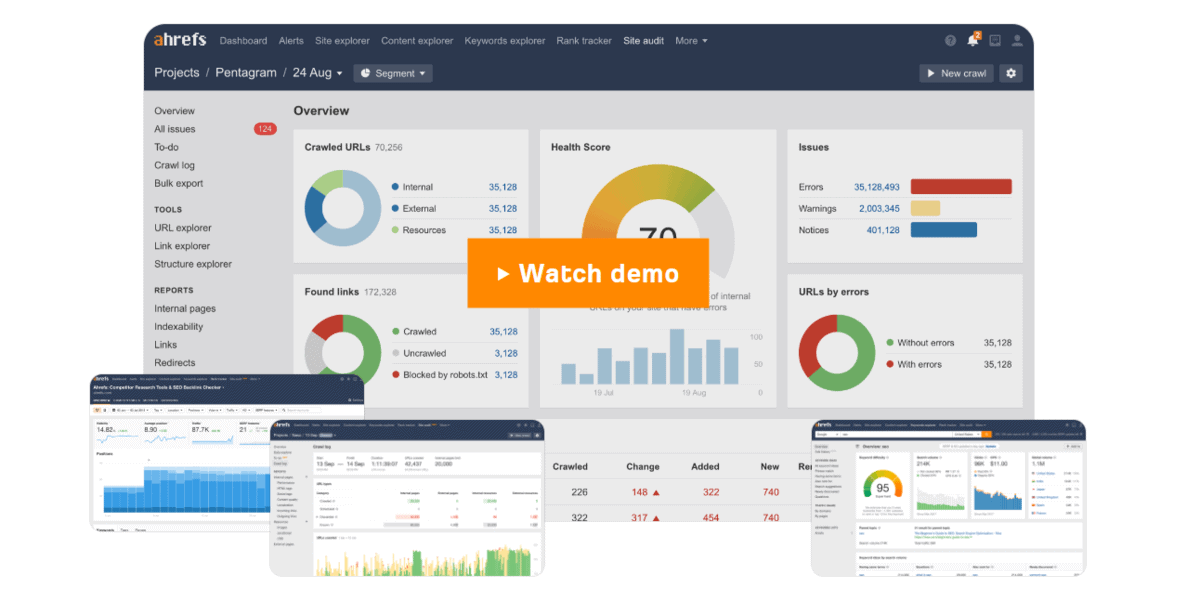
Ahrefs is perhaps the most popular SEO software tool on the market. It offers a comprehensive suite of features, including keyword research, backlink research, rank tracking, and site audits. Ahrefs is great for small businesses that want to improve their search engine ranking and get more traffic to their website. It’s also the best all-in-one SEO solution you can buy.
Ahrefs Features:
- Powerful keyword researcher that allows you to find valuable keywords with high search volume and low competition.
- The best backlink research tool on the market, which can help you find link-building opportunities and monitor your competition.
- Rank tracking lets you track your progress and see how your keywords are performing over time.
- A comprehensive site audit tool that can help you find and fix on-page SEO issues.
- You can explore competitor sites to find gaps in their knowledge graph and find link-building opportunities.
What I Like/Dislike About Ahrefs:
Likes:
- The keyword research tool is powerful and easy to use. The backlink research tool is the best on the market.
- I love their intuitive UI and how easy it is to save keywords while doing keyword research.
- The rank tracking feature is great for small businesses that want to track their progress over time.
Dislikes:
- The price is the biggest downside of Ahrefs. At an entry price of $99/month, it’s one of the most expensive SEO software tools on the market.
Ahrefs Pricing:
- Lite: 99$/month – For solopreneurs and those just starting out.
- Standard: $179/month – For small businesses.
- Advanced: $399/month – For businesses looking to scale quickly.
- Agency: $999/month – For enterprises and established agencies.
2 . SurferSEO.
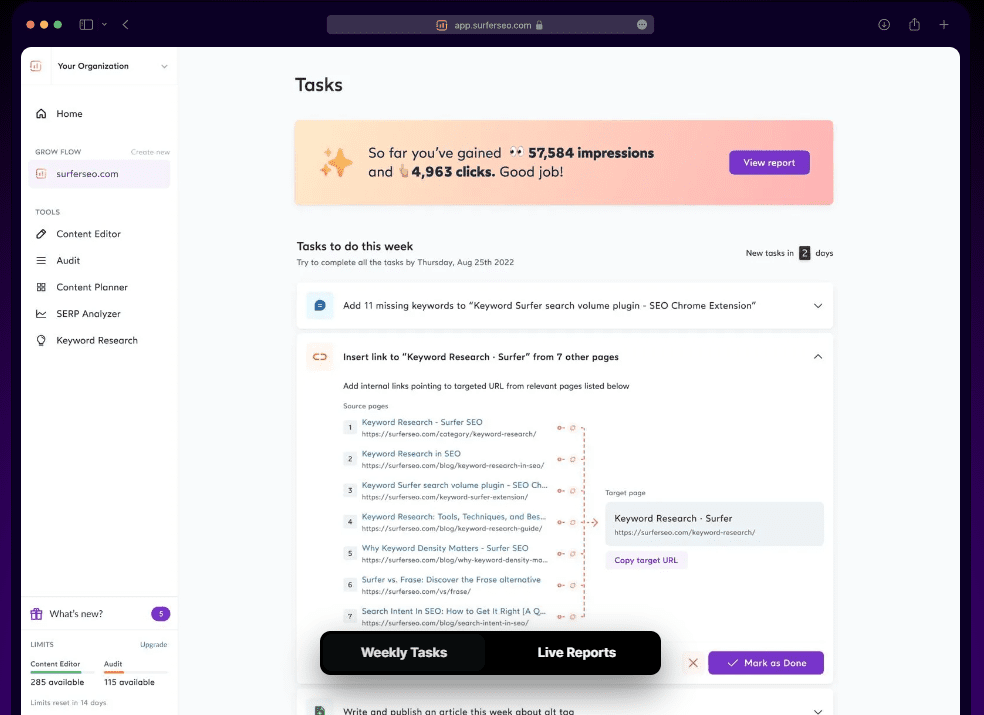
SurferSEO is an all-in-one SEO software solution that offers a comprehensive suite of features, including keyword research, competitor analysis, SERP analyzing, content editing and on-page optimization. SurferSEO is great for small businesses that want to improve their search engine ranking and get more traffic to their website.
SurferSEO Features:
- Powerful keyword research tool that allows you to find valuable keywords with high search volume and low competition.
- A competitor analysis tool that lets you see your competition and see what they’re doing to rank higher in the search engines. It breaks down different stats like word count, number of keywords and keyword density.
- SurferSEO uses NLP (natural language processing) to optimize the words you’re writing and give you a leg up when competing against other small businesses in the SERPs.
- The SERP Analyzer lets you see how your pages are ranking in the search engines and give insights into what you can do to improve your ranking.
- Gives you a content score that shows how optimized your content is for your target keyword.
- Integrates with AI writing tools like Jasper.IO to super optimize your writing experience.
What I Like/Dislike About SurferSEO:
Likes:
- Using SurferSEO literally saves you hours of work. Without SurferSEO, you would need to manually look up each web page on a SERP to see why it’s ranking.
- The content editor is really intuitive and easy to use. You can see how well your content is optimized for your target keyword with the Content Score.
- The fact that it integrates with Jasper.IO is a HUGE quality of life feature.
Dislikes:
- The biggest downside of SurferSEO is the price. At $59/month, it’s one of the more expensive SEO software tools on this list.
- I feel that only 10 content editor entries in their Basic $59/month plan is poor value.
SurferSEO Pricing:
- Basic: $59/month – 20 content audits and 10 content editors per month.
- Pro: $119/month – 30 content editors and 60 NLP audits.
- Business: $239/month – 70 content editors, 140 audits, unlimited NLP, open API access.
3. SEMRush.
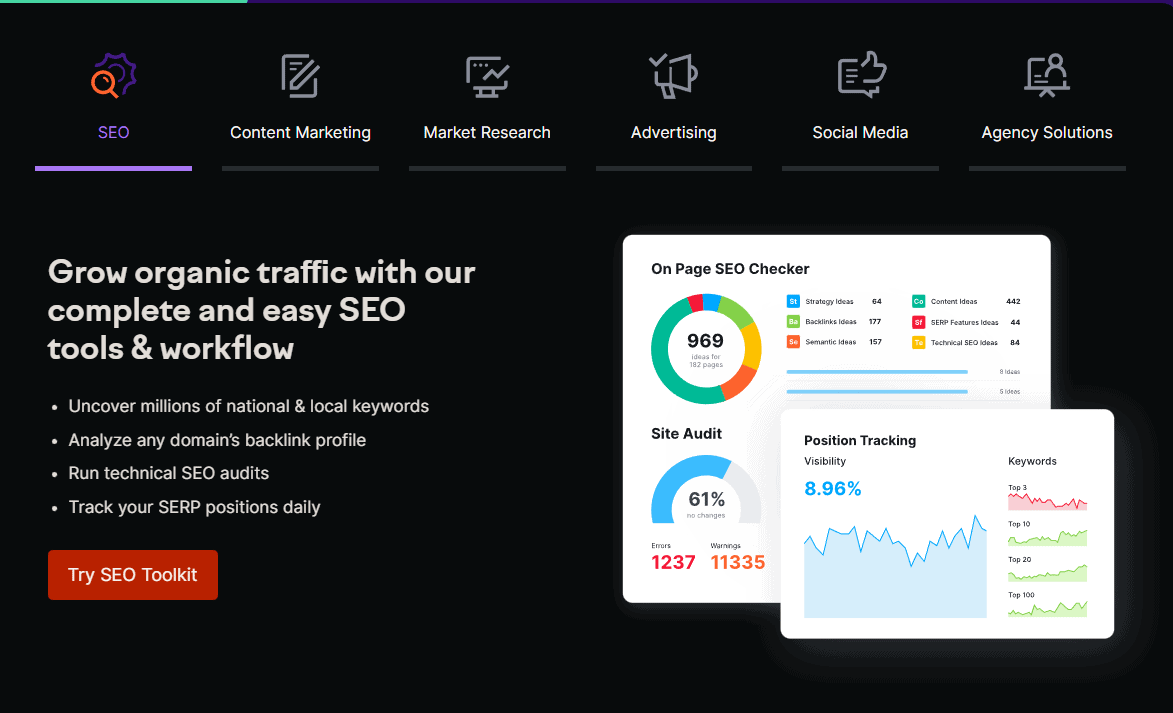
SEMRush is another all-in-one SEO platform that offers a suite of features that small businesses can use to improve their search engine ranking and get more traffic to their website. SEMRush includes keyword research tools, competitor analysis tools, SERP analyzing, and on-page optimization.
SEMRush Features:
- The Keyword Magic Tool is a powerful keyword research tool that allows you to find valuable keywords with high search volume and low competition.
- The Keyword Difficulty Tool lets you see your competition and see what they’re doing to rank higher in the search engines. It breaks down different stats like word count, number of keywords and keyword density.
- SEMRush’s Position Tracking Tool lets you see how your pages are ranking in all of the major search engines.
- The On-Page Site Audit Tool gives you insights into what you can do to improve your website’s on-page SEO.
What I Like/Dislike About SEMRush:
Likes:
- The On-Page Site Audit Tool is really helpful in getting insights into what you can do to improve your website’s on-page SEO.
- SEMRush’s Position Tracking Tool is really accurate and lets you see how your pages are ranking in all of the major search engines.
Dislikes:
- Again – a common theme of these tools – biggest downside of SEMRush is the price. At $119.95/month, it’s one of the more expensive SEO software tools on this list.
SEMRush Pricing:
- Pro: $119.95/month – For small businesses.
- Guru: $229.95/month – For larger businesses.
- Business: $449.95/month – For enterprises and established agencies.
4. RankMath.

RankMath is a free WordPress plugin that makes it easy to optimize your website for search engines. RankMath includes all of the features you need to rank higher in the SERPs, including keyword research, competitor analysis, SERP analyzing, and on-page optimization.
RankMath Features:
- RankMath gives a helpful SEO score directly within your WordPress admin.
- It detects broken links and helps you fix them with ease. The plugin also includes a built-in XML sitemap to help search engines index your website.
- You can preview rich snippets and what your post will look like in the SERPs.
- It can integrate with other key Google SEO apps like Google Search Console & Google Analytics.
What I Like/Dislike About RankMath:
Likes:
- I really like that RankMath is a free plugin. If you’re on a tight budget, this is a great option. It’s also really easy to use and set-up.
- The integration with other key Google SEO apps is really helpful and serves a unique purpose to any of the other tools on this list.
Dislikes:
- It can be a bit confusing trying to understand which content score is better if used alongside SurferSEO.
- I don’t really have any dislikes about RankMath. I think it’s a great tool, especially for the price (free!).
RankMath Pricing:
RankMath is free to add to your site, but also offers paid plans:
- Pro: $59/year – For bloggers & solopreneurs.
- Business: $199/year – For small businesses and agency owners.
- Agency: $499/year – For enterprises and established agencies.
5. SE Ranking.
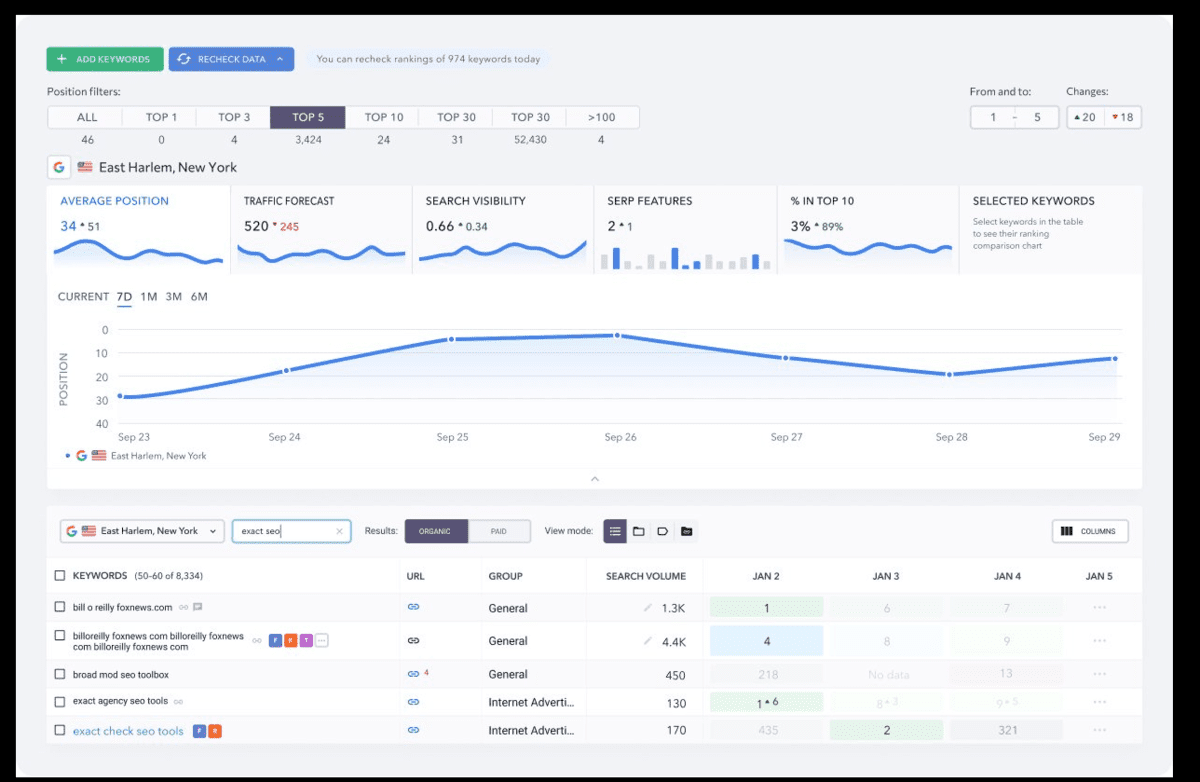
SE Ranking is one of my personal favorite SEO software tools. It offers a wide range of features, including rank tracking, website analysis, competitor analysis, and more. The best part? It’s the most affordable all-in-one SEO tools available today.
SE Ranking Features:
- You can perform deep keyword research with SE Ranking’s keyword researcher in a database that is updated monthly with over 20 million keywords.
- The software also includes a rank tracker that lets you track your progress over time and compare your performance to your competitors.
- The website analysis tool lets you see how well your website is optimized for SEO and provides recommendations on how to improve your ranking.
- Offers automated, scheduled SEO reporting.
What I Like/Dislike About SE Ranking:
Likes:
- The interface is very user-friendly and easy to navigate.
- You can track an unlimited number of keywords and get detailed reports on your progress.
- There is a handy “Site Audit” feature that helps you identify and fix any potential SEO issues on your website.
- You can also track your competitors’ rankings and get detailed insights into their SEO strategies.
- It’s super affordable.
Dislikes:
- Some of the features are only available in the paid version.
- The keyword research tool lacks some of the data and features you see in the more expensive competitors like Ahrefs & SEMRush.
SE Ranking Pricing:
SE Ranking offers three different plans:
- Essential: $23.40/month – For solopreneurs and bloggers.
- Pro: $53.40/month – For small businesses.
- Business: $113.40/month – For enterprise & established agencies.
6. Yoast SEO
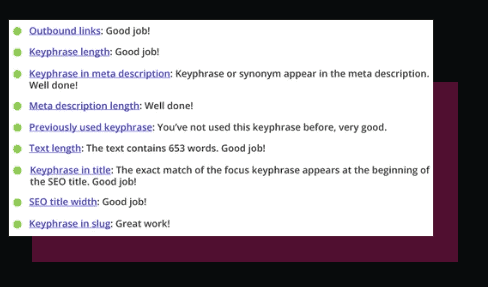
Yoast SEO is a popular SEO plugin for WordPress that offers a wide range of features, including keyword research, on-page optimization, and sitemap creation. Yoast is one of the most user-friendly SEO software tools available and is great for beginners.
Yoast SEO Features:
- Yoast includes a keyword research tool that allows you to find the best keywords for your website.
- It also offers on-page optimization features, such as title and meta tag optimization, as well as sitemap creation.
- It also gives you a preview of what your pages and posts will look like in the SERPs, directly within your WordPress admin.
What I Like/Dislike About Yoast SEO:
Likes:
- It’s very user-friendly and perfect for beginners.
- The on-page optimization features are very helpful.
- The SERP preview feature is unique and helpful.
- It has a wide range of features, including keyword research, on-page optimization, and sitemap creation, all within the WordPress admin.
Dislikes:
- It’s a WordPress plugin, so it can only be used on WordPress sites.
- The free version is fairly limited and doesn’t include some of the more advanced features, such as competitor analysis.
Yoast SEO Pricing:
- Yoast’s Premium Plan can be purchased for $99/year.
7. Google Business Profile

Google Business Profile is a free business listing service provided by Google. It allows businesses to manage their online presence and be found by potential customers. This is particularly helpful for “near me” searches when people are looking for a specific kind of business. Businesses can add videos, photos, posts, and more. It is a helpful, free way for your business to stand out within SERPs.
Google Business Profile Features:
- Allows businesses to manage their online presence on Google.
- Helps businesses be found by potential customers.
- Businesses can add photos, videos, posts, and more.
- Businesses can add their phone number, contact information and website so that customers can easily access such information.
What I Like/Dislike About Google Business Profile:
Likes:
- It’s free to set up and it’s one of the best ways to rank on the first 3 pages of Google without doing traditional link building or authority building.
- The user interface is intuitive and clean looking and is a professional way to present you business to the public.
Dislikes:
- Becoming more pay-to-play over the years, as paid apps like Ritual & Reserve with Google convert far higher within the Business Profile Results.
Google Business Profile Pricing:
- Google Business Profile is a must-have because it’s completely free!
8. Google Trends
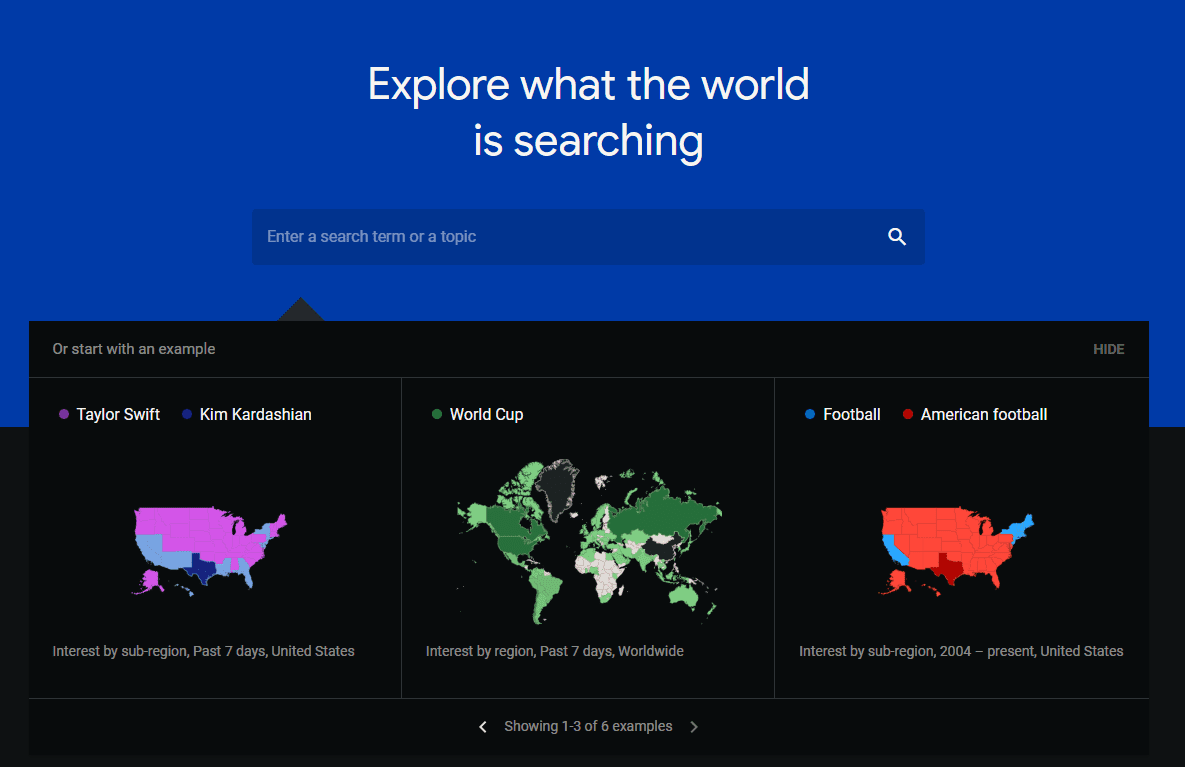
Google Trends is a free online tool that allows users to see how often particular terms are being searched for on Google. This is helpful for businesses to understand what topics and keywords are popular within their industry, as well as identifying any seasonal trends. Users can also compare multiple terms to see how they stack up against each other in terms of popularity. In particular, Google Trends is extremely valuable when determining what niche to choose for your business when you are just starting out.
Google Trends Features:
- Allows users to see how often particular terms are being searched for on Google.
- Users can compare multiple terms to see how they stack up against each other in terms of popularity.
- Users can see which shopping terms are most popular in specific niches to find the most monetizable trends and keywords.
What I Like/Dislike About Google Trends:
Likes:
- It’s awesome that Google is willing to give away such valuable information for free
- I love how easy it is to visualize what trends are worth monetizing.
- The ease of comparing two trends with one another is extremely user friendly
Dislikes:
- The “shopping trends” page always feels like it’s a little bit lacking
Google Trends Pricing:
- Google Trends is free to use for everyone.
9. Google PageSpeeds Insights

Google PageSpeed Insights is a free online tool that analyzes a website’s speed and provides recommendations on how to improve it. This is important because site speed is a ranking factor on Google, as well as being essential for providing a good user experience. Google PageSpeed Insights also provides insights into how your website loads on mobile devices, as well as how to improve your mobile speed.
Google PageSpeed Insights Features:
- Analyzes a website’s speed and provides recommendations on how to improve it.
- Provides insights into how your website loads on mobile devices.
- Offers recommendations on how to improve your mobile speed.
What I Like/Dislike About Google PageSpeed Insights:
Likes:
- As with the other Google tools, it’s free of charge.
- Surprisingly large amount of valuable insights for a free tool.
Dislikes:
- The design could be a bit more user-friendly and modern looking.
Google PageSpeed Insights Pricing:
- Free to use for everyone!
10. Moz TitleTag Preview Tool

The Moz TitleTag Preview Tool is a free online tool that allows users to see how their website’s title tag will appear in the SERPs. This is useful because any title tag longer than ~60 characters will not optimally display in the SERPs, potentially decreasing your click rate & traffic.
Moz TitleTag Preview Tool Features:
- Allows users to see how their website’s title tag will appear in the SERPs.
- You can then change the title and run it through the tool again until your title tag is optimized.
What I Like/Dislike About The Moz Title Tag Preview Tool:
Likes:
- It’s a super quick way to increase your click rate and is something that’s often overlooked by other websites.
Dislikes:
- It’s pretty rudimentary and doesn’t offer alternative suggestions for titles if you’re over the title tag character limit.
Moz Title Tag Preview Tool Pricing:
It’s completely free to use, so there’s no reason that your titles shouldn’t be optimized.
11. AnswerThePublic
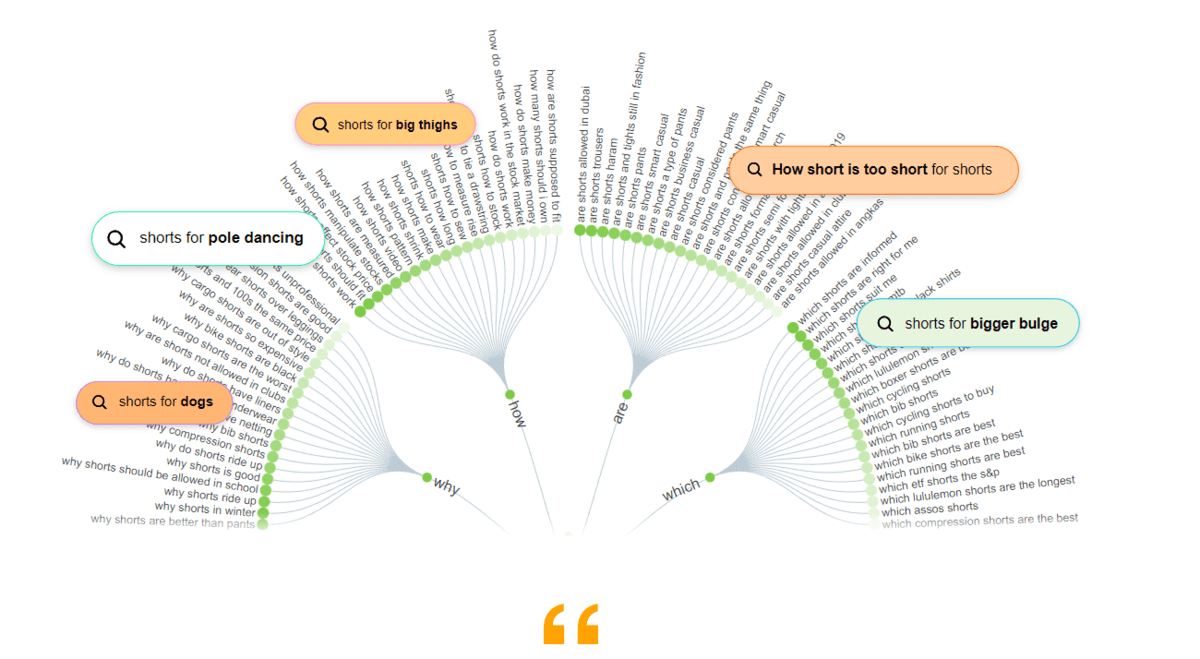
AnswerThePublic is a free online tool that’s designed to help you come up with content ideas that are based on the questions people are actually searching for. It uses autocomplete data to generate new content ideas around the keyword you’re writing about. Not only is this a supremely valuable source of new content ideas, but it will make your content far more likely to rank in the SERPs.
AnswerThePublic Features:
- Finds the questions people are searching for that are related to your niche/topic.
- The ability to view what questions are searched by country is helpful for targeting questions asked by certain demographics.
- The search listening tool can be used to help you find initial keyword ideas on all the different phrases and questions that are provided.
What I Like/Dislike About AnswerThePublic:
Likes:
- The search listening tool results are really comprehensive and you can find a lot of low-hanging fruit that you might not have thought of otherwise.
Dislikes:
- The results can be a bit overwhelming and it’s easy to get lost in all the different questions that are provided.
AnswerThePublic Pricing:
AnswerThePublic offers a free version, as well as Pro & Expert Tiers.
- Pro: $79/month – For solopreneurs & bloggers.
- Expert: $199/month – For larger businesses, agencies & enterprises.
12. Google Data Studio
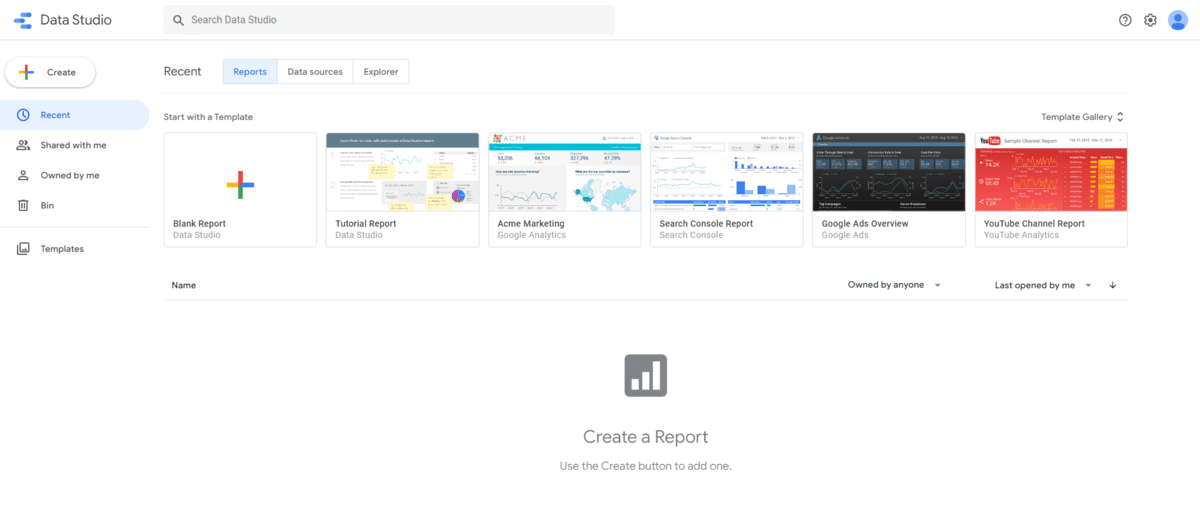
Google Data Studio is a free data visualization tool that allows users to turn their data into beautiful-looking charts and graphs. This is useful for small businesses because it can help you better understand your data, as well as communicate your findings to clients & stakeholders.
Google Data Studio Features:
- Allows users to turn their data into highly configurable dashboards & charts.
- Easily collaborate on reports with your team.
- Connect with a variety of different data sources like BigQuery, MySQL & PostgreSQL.
What I Like/Dislike About Google Data Studio:
Likes:
- The ability to easily collaborate on reports with your team is really helpful.
- The wide variety of data sources that can be connected is also really useful.
Dislikes:
- The learning curve can be a bit steep for those who are not familiar with data visualization.
Google Data Studio Pricing:
Perhaps the best thing about Google Data Studio is that it’s completely free to use!
13. Moz Pro
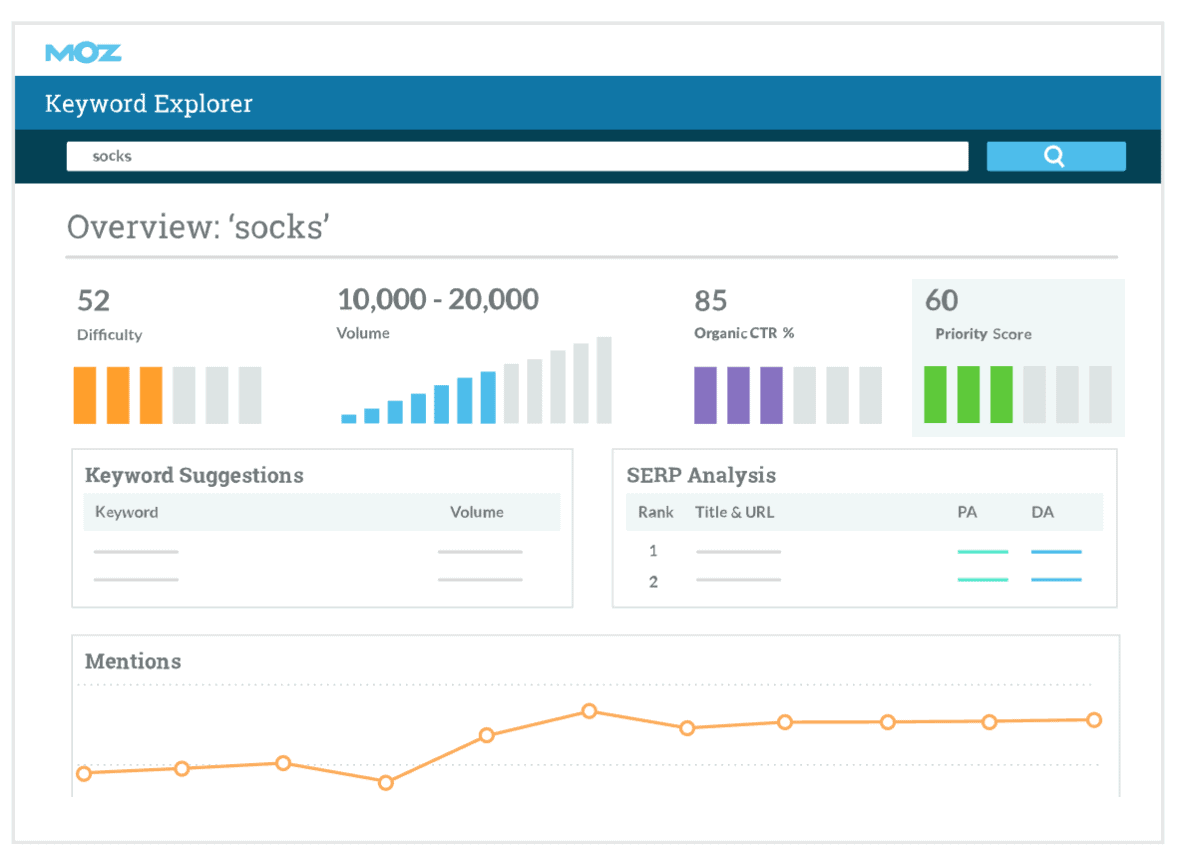
Moz Pro is an all-in-one SEO software that provides users with everything they need to rank higher in the SERPs. It includes features like keyword research, site audits, on-page optimization, and rank tracking. Moz Pro is a great choice for small businesses because it’s comprehensive and easy to use.
Moz Pro Features:
- The keyword research tool helps you find the best keywords to target for your business.
- Site audits allow you to find technical issues on your website that could be holding you back from ranking higher.
- On-page optimization features help you optimize your website for the best possible search engine ranking.
- The Backlink Analysis tool lets you see who is linking to your website.
What I Like/Dislike About Moz Pro:
Likes:
- I really like how comprehensive Moz Pro is. It has everything you need in one place which makes it really easy to use.
- The keyword research tool is really helpful in finding the best keywords to target.
Dislikes:
- Moz Pro can be a bit pricey for small businesses.
Moz Pro Pricing:
Moz Pro provides 4 different tiers of plans.
- Standard: $99/month – For solopreneurs & bloggers.
- Medium: $179/month – For small businesses.
- Large: $299/month – For scaling businesses & large agencies.
- Premium: $599/month – For large enterprise & large marketing teams.
14. Whitespark

Whitespark is an SEO software that helps businesses with local searches. It includes features like local citation finder, review generation, reputation building, Google My Business management, Yext replacement, and local data aggregation. Whitespark is a great choice for businesses selling to a small area because the entire platform is built with the business’ locality in mind.
Whitespark Features:
- The platform helps you manage your Google My Business listings in one place. This includes features like managing GMB posts, monitoring & replying to reviews, and tracking your GMB insights.
- The Citation Finder tool helps you find the best citations and get your business info out to sites. This can help you increase your chances of being found in the local search results.
- The local rank tracking tool helps you track your business’ progress in the local SERPs.
- The reputation builder helps drive more reviews and testimonials to your GMB listing.
What I Like/Dislike About Whitespark:
Likes:
- I really like how focused Whitespark is on helping businesses with their local search presence.
- The Google My Business management feature is best-in-class, I haven’t seen another SEO tool quite like it.
Dislikes:
- Not super useful for businesses that are not local businesses.
- Less useful for e-commerce businesses that do not have brick and mortar locations.
Whitespark Pricing:
Whitespark has custom pricing depending on your business’ needs. You’ll need to schedule a call with their sales team to determine a price that makes sense for your business.